Reports API
The reports API lets your own tools fetch order journeys and batches from Scanpacker as CSV or JSON, for example to combine them with data from other systems. It’s read-only.
Create an API key
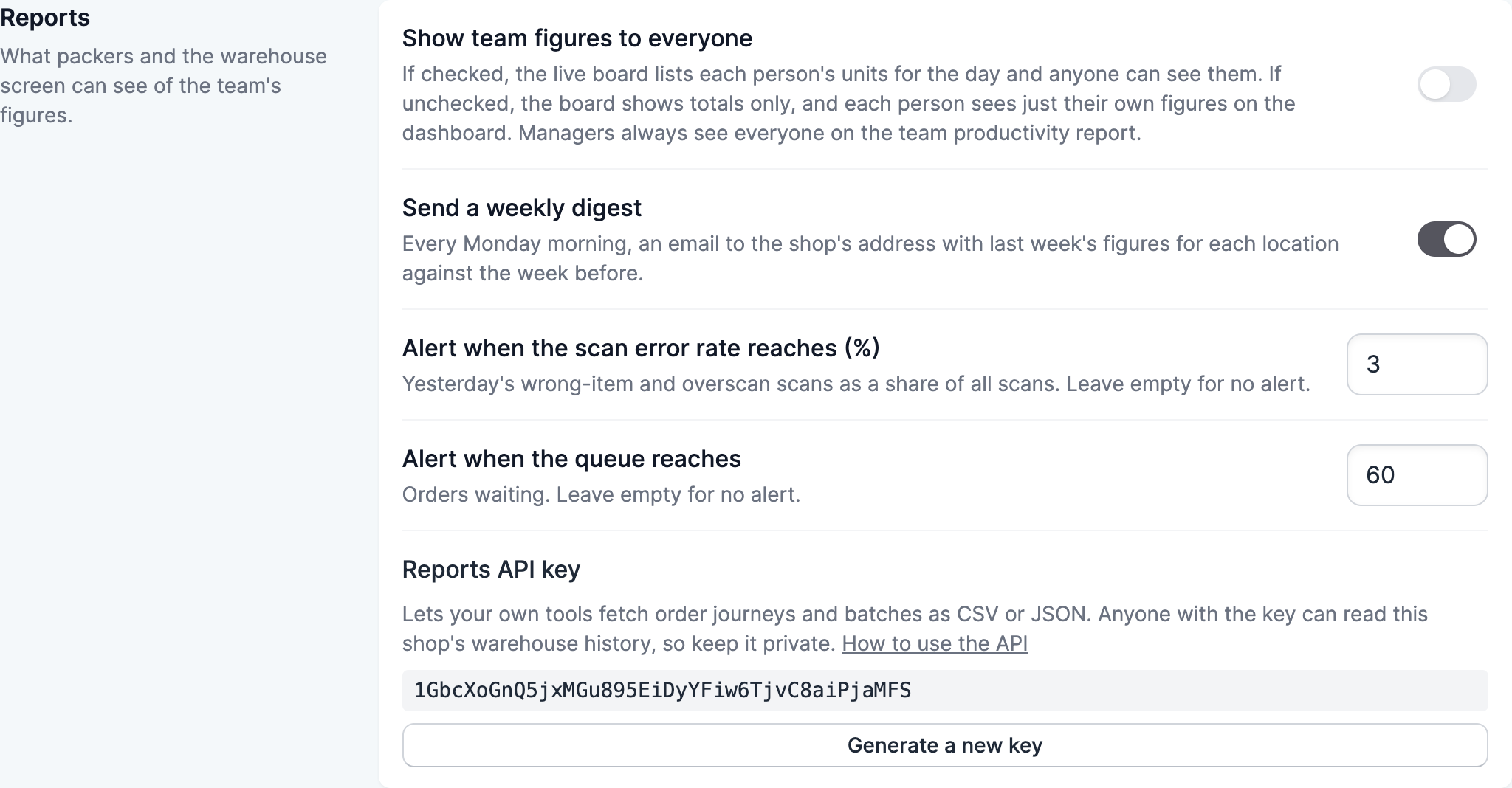
Open your scanning settings and find Reports API key in the Reports section, then click Generate a key. Anyone with the key can read your shop’s warehouse history, so keep it private. If you generate a new key, any tool using the old one stops working until you give it the new key.
Make a request
Send the key in an Authorization header, and put the format you want at the end of the address:
curl -H "Authorization: Bearer YOUR_KEY" \
  "https://app.scanpacker.com/api/reports/journeys.csv?since=2026-10-01&until=2026-10-31"
There are two addresses. /api/reports/journeys returns one row for each order’s journey through the warehouse, and /api/reports/batches returns one row for each batch. Use .csv or .json to choose the format.
Options
sinceanduntilset the first and last dates, written asYYYY-MM-DD. Without them, you get the last 30 days. A request can cover up to 92 days.location_idlimits the results to one location.
A request with an invalid date or too long a range returns a 400 status, and a missing or incorrect key returns 401.
Journey columns
id, order_id, order_name, fulfillment_order_id, location, outcome, order_placed_at, started_at, started_by, started_via, picked_at, picked_by, fulfilled_at, fulfilled_by, fulfillment_id, ended_at, batch_number, batch_mode, line_count, unit_count, picked_unit_count, short_unit_count, short, reopened_count, scan_count, wrong_scan_count, overscan_count, manual_entry_count, active_picking_seconds
Batch columns
id, number, mode, status, location, created_by, picked_by, created_at, picking_started_at, picked_at, closed_at, discarded_at, orders_count, unit_count, short_unit_count, active_picking_seconds