
Warehouse software for Shopify stores
Run your Shopify warehouse by barcode
Receiving, batch picking, barcode checking, shipping labels, printing and reports, working on the inventory you already keep in Shopify. Use the scanners, phones and printers you already have.
10
shipping platforms, from Shopify Shipping to ShipStation
5
languages: English, German, Italian, Japanese and Spanish
10
reports, plus a live board, a weekly digest and an export API
100
orders in a batch, picked in walking order
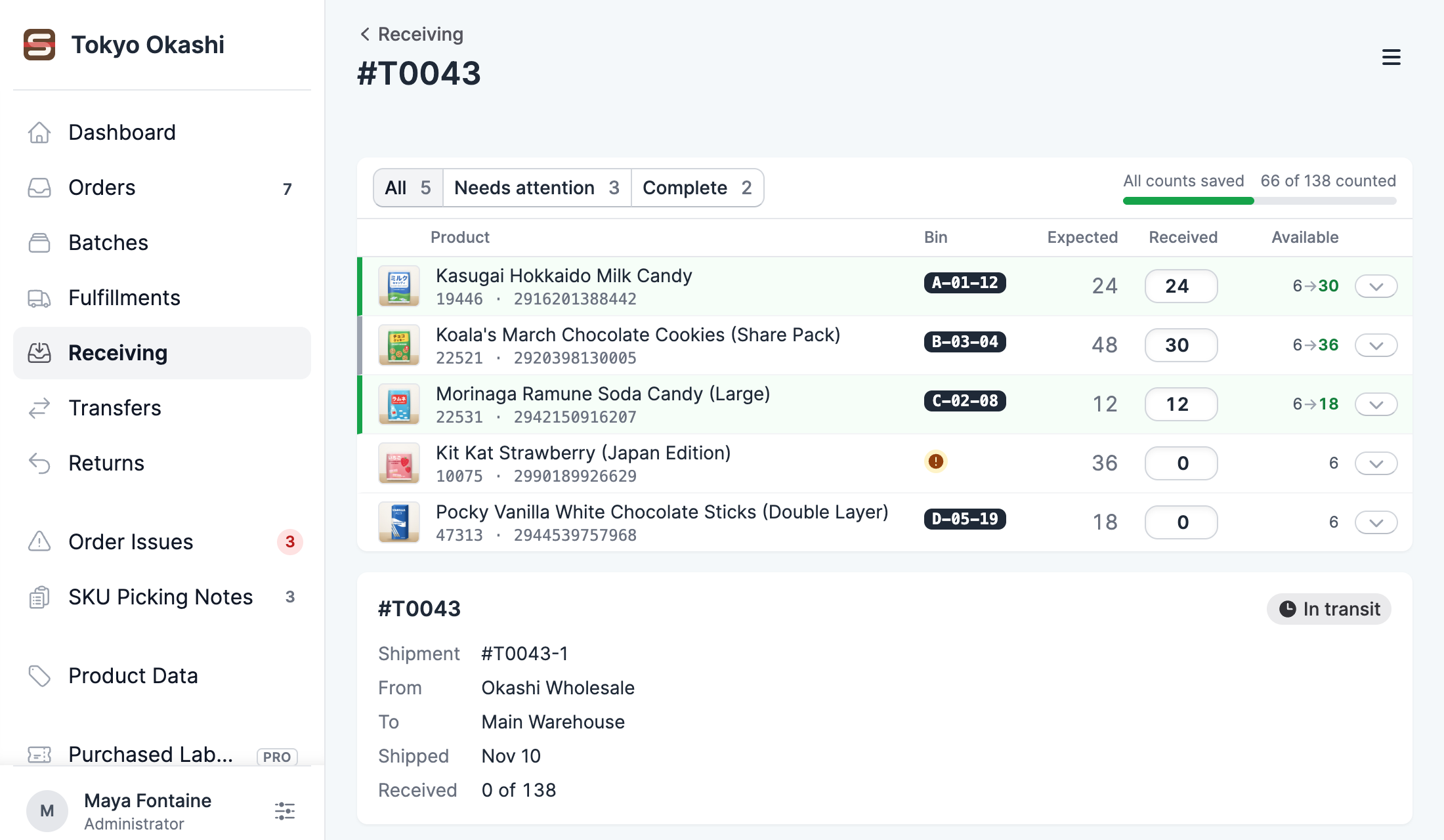
Receive purchase orders and transfers by scan.
Receiving works on Shopify's own purchase orders and transfers, and your counts update Shopify inventory as soon as you receive. Each receipt lists what arrived in storage location order for putaway, with unlocated products first.
- Receive part of a shipment and come back to the rest later.
- Record rejected units without adding them to your stock.
- Build transfers between your locations by scan, and ship them in Shopify.
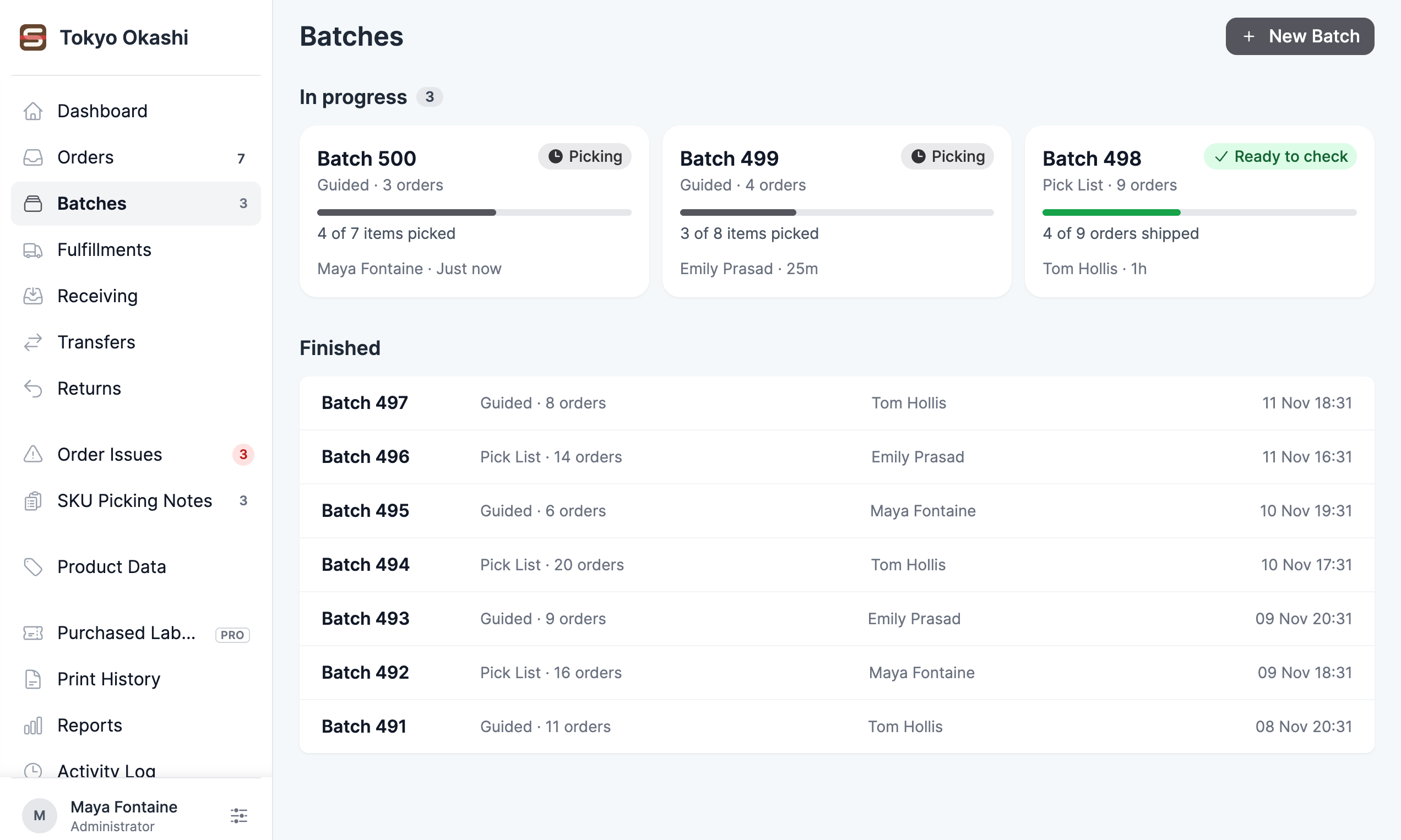
Batch picking, from a pick list or into cart slots.
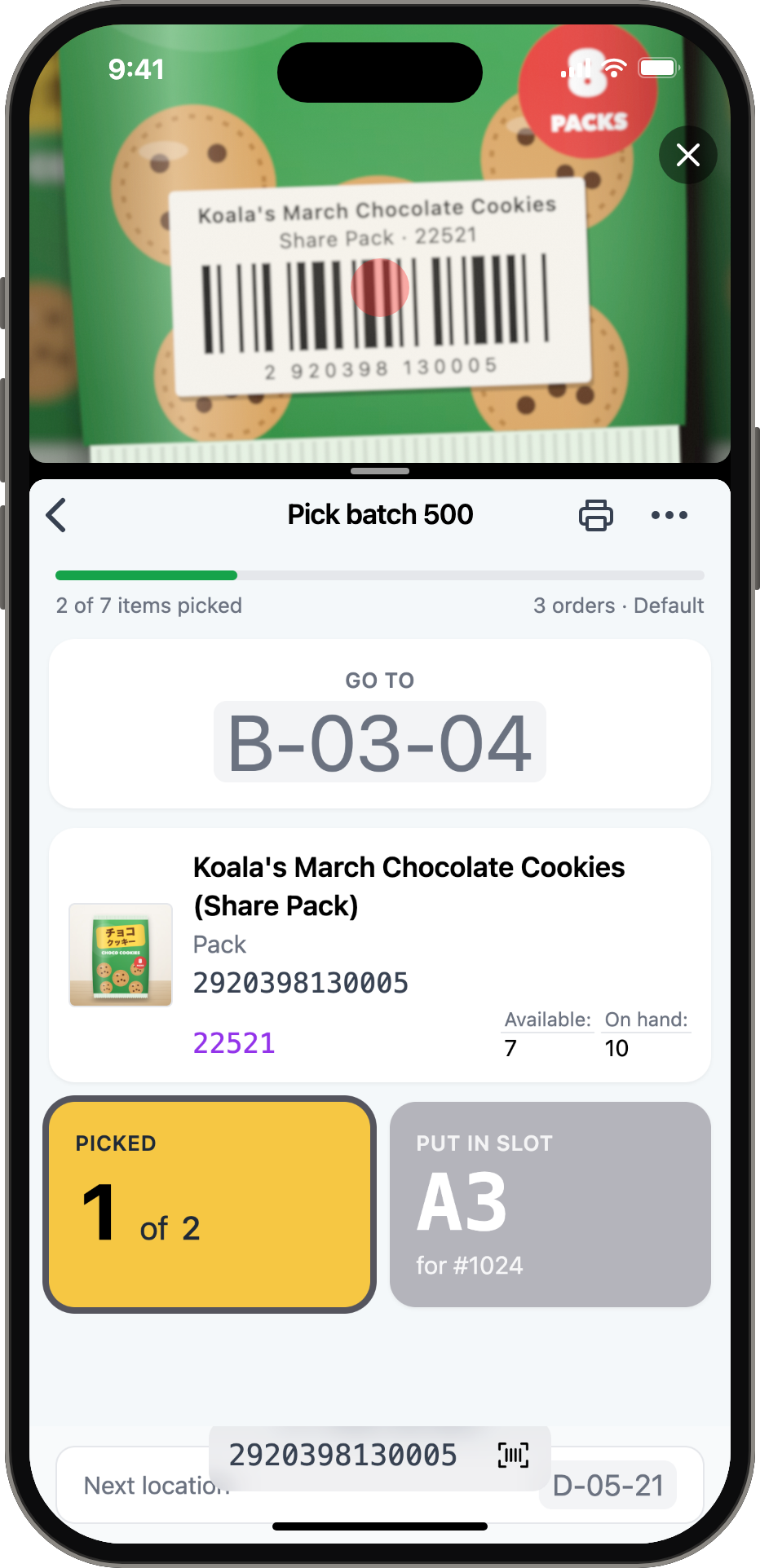
Batches are built by hand or from the oldest orders in the queue, and pick in your warehouse's walking order. Guided picking sends the picker to one storage location at a time and confirms each item and its cart slot by scan.
- Batches of up to 100 orders, with a preview of which orders a batch will contain.
- A scannable pick list, or guided picking one item at a time.
- Cart types with named slots, so sorting happens during the pick.
- Products without a storage location still work, and you can set one during the pick.
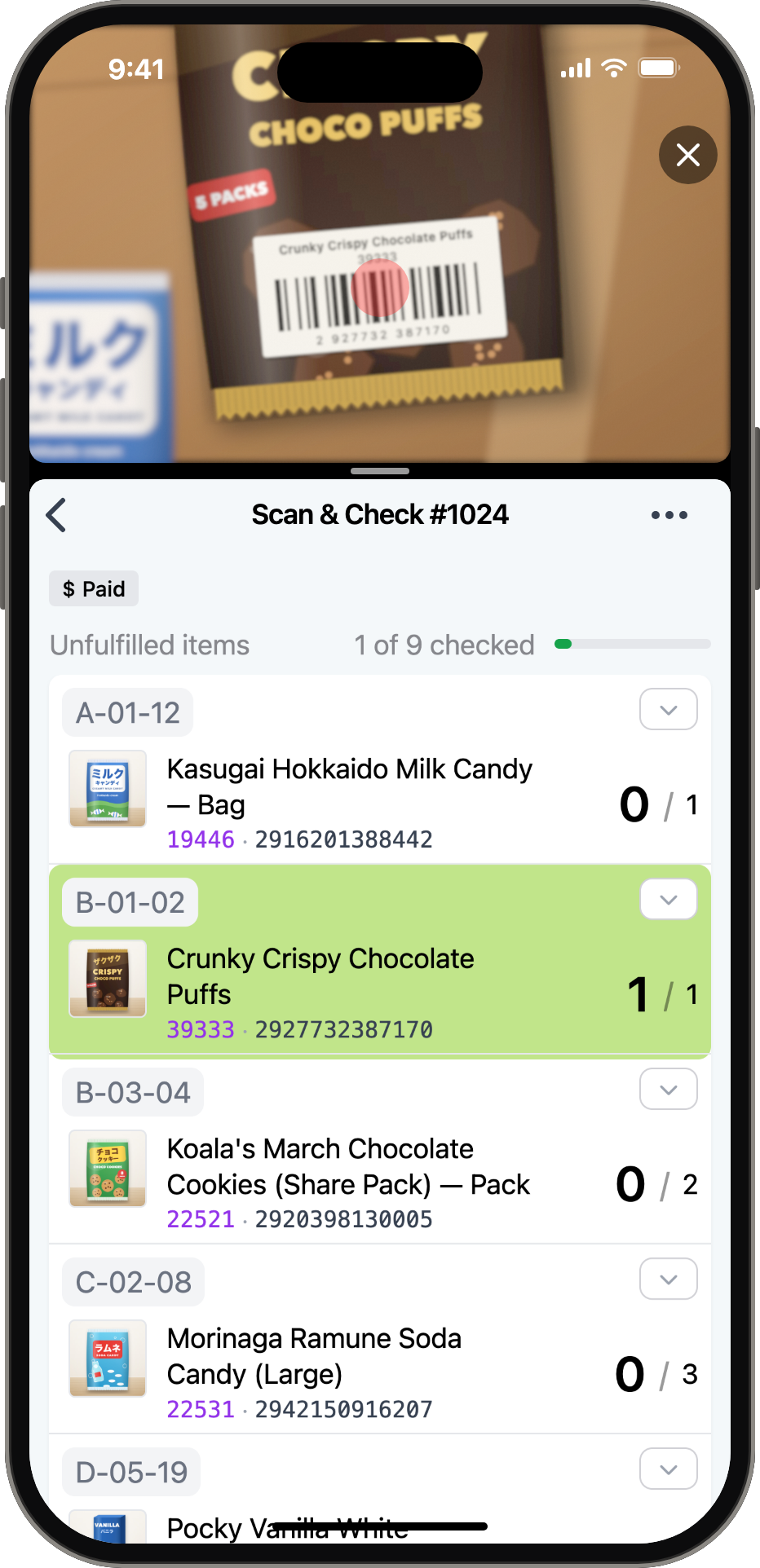
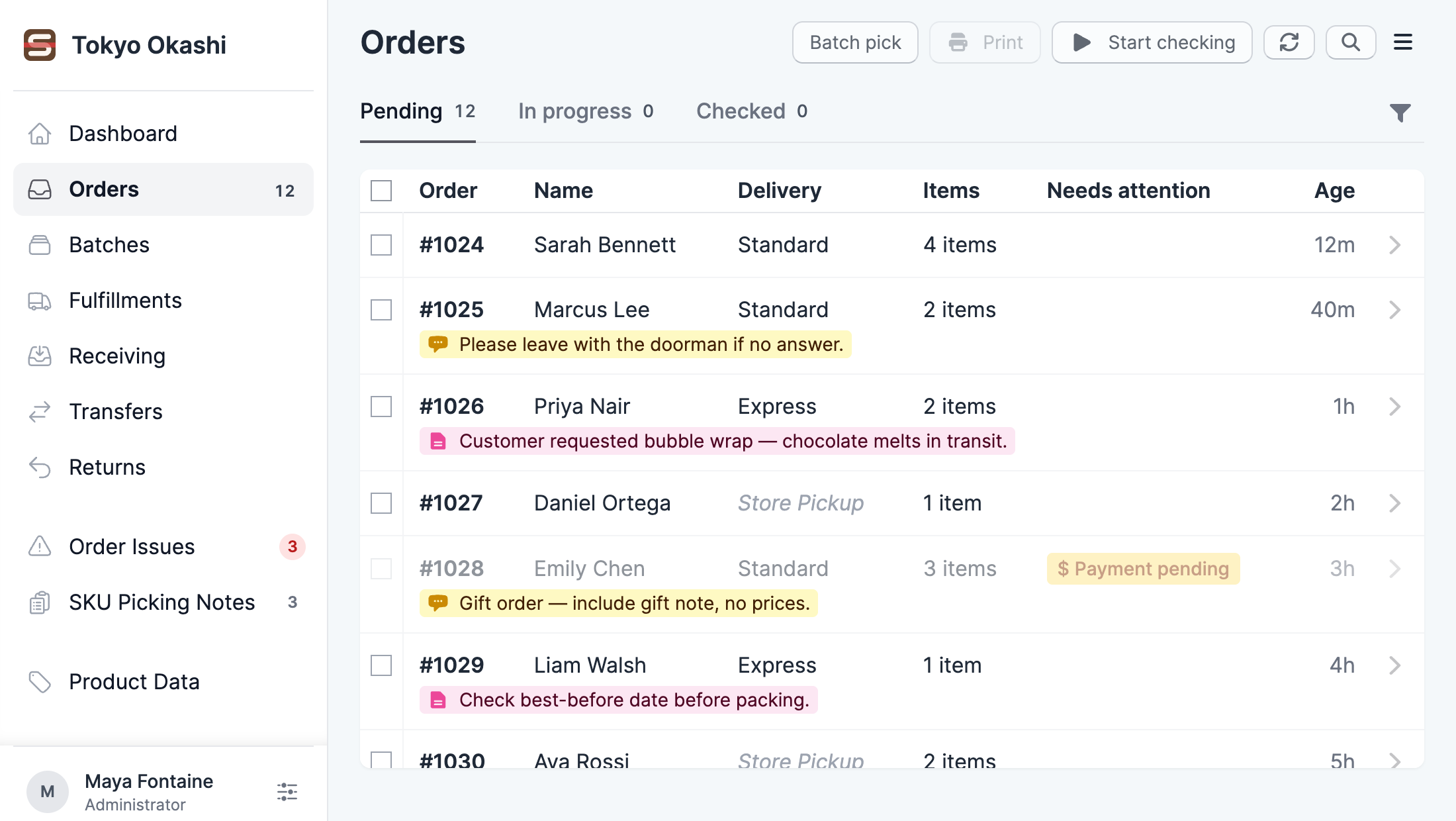
Every unit checked by barcode at the packing bench.
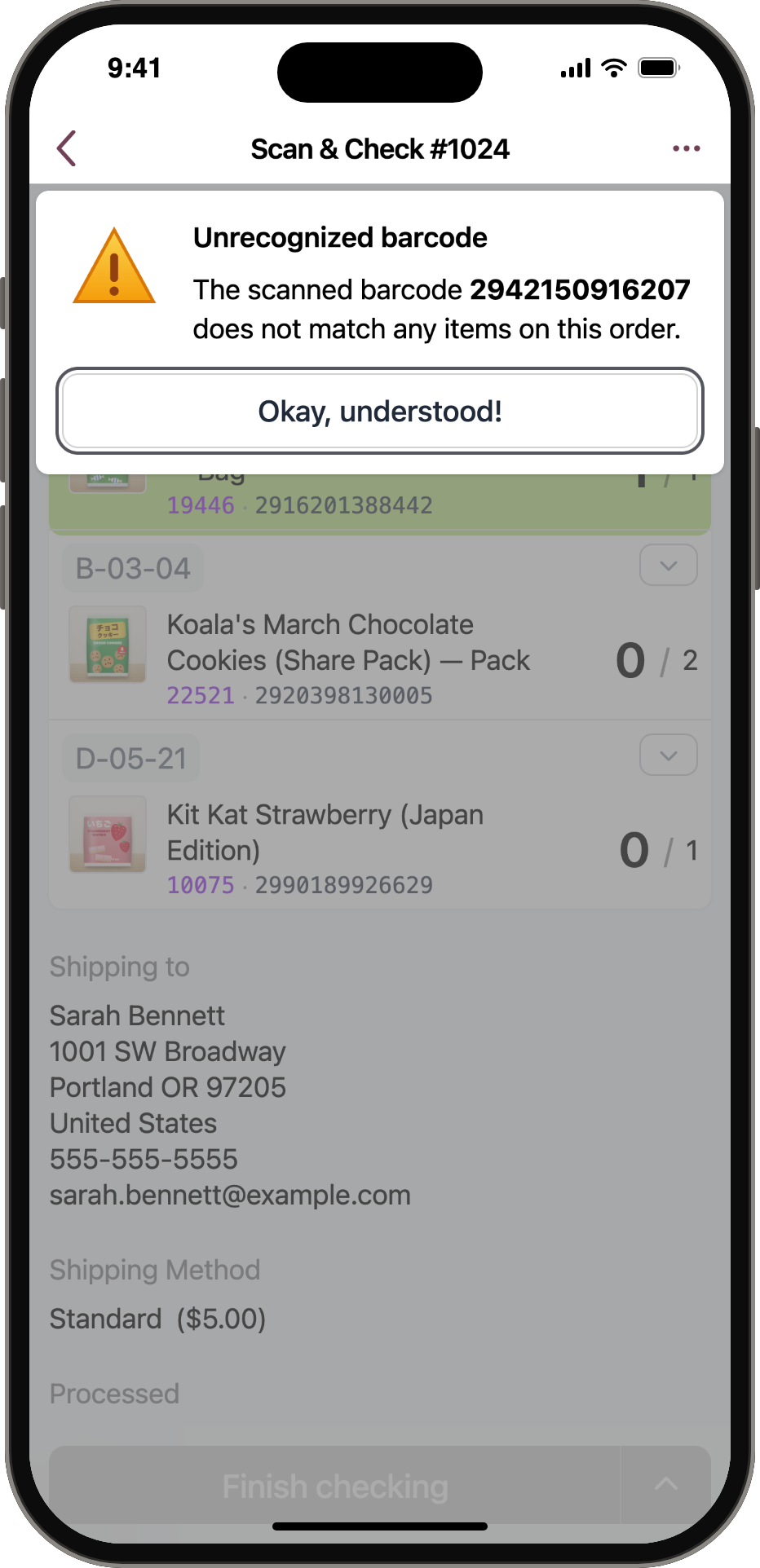
Packers scan each unit as it goes in the parcel, with a USB or Bluetooth scanner or the phone's camera. A wrong product or an overscan stops them with an alert, or plays a warning sound if you'd rather keep moving.
- Each item shows its storage location, SKU, barcode and stock level.
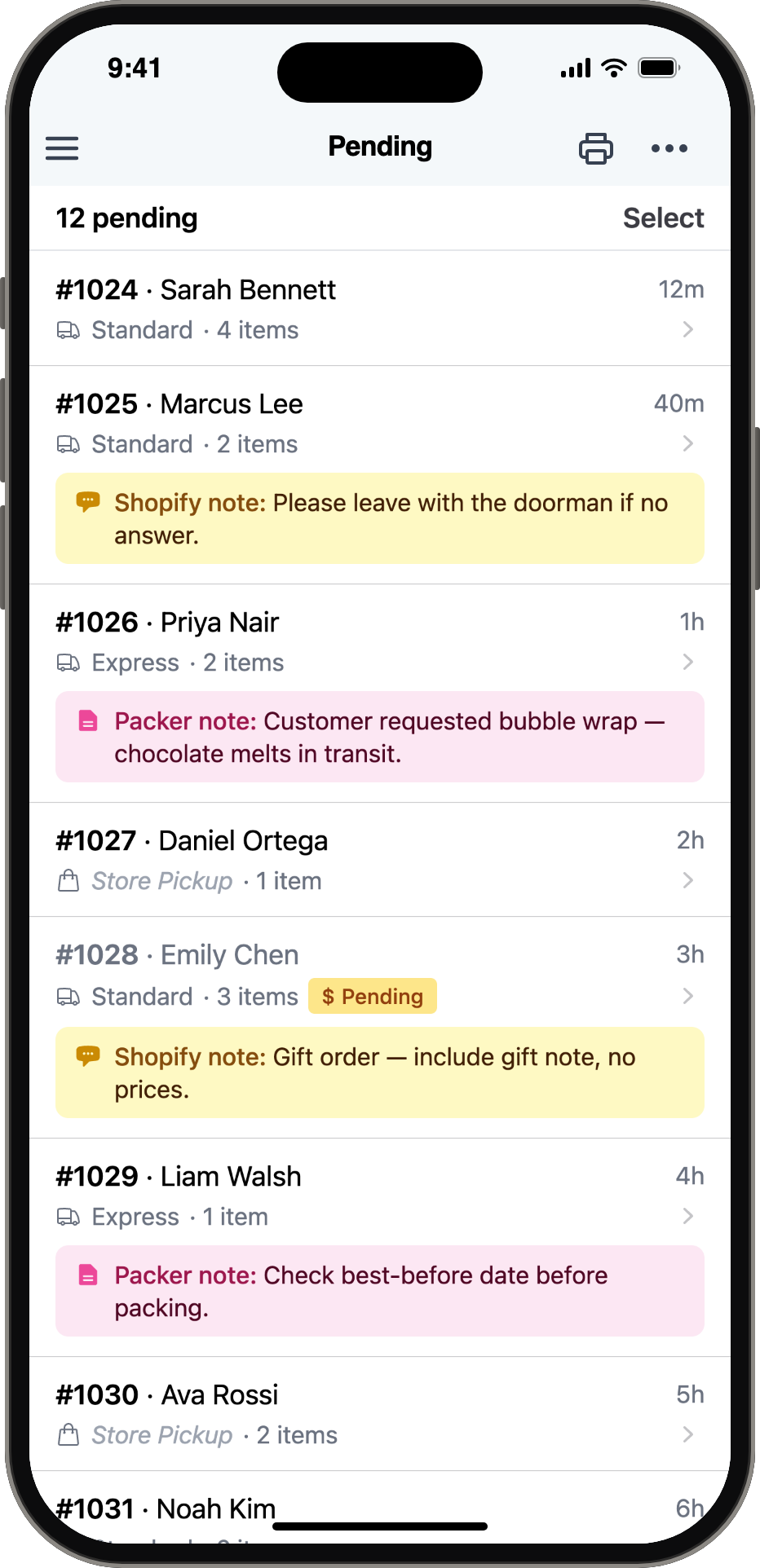
- Packer notes and Shopify notes appear on the order, where staff see them.
- The Scan Error Report shows each person's wrong scans and error rate over time.
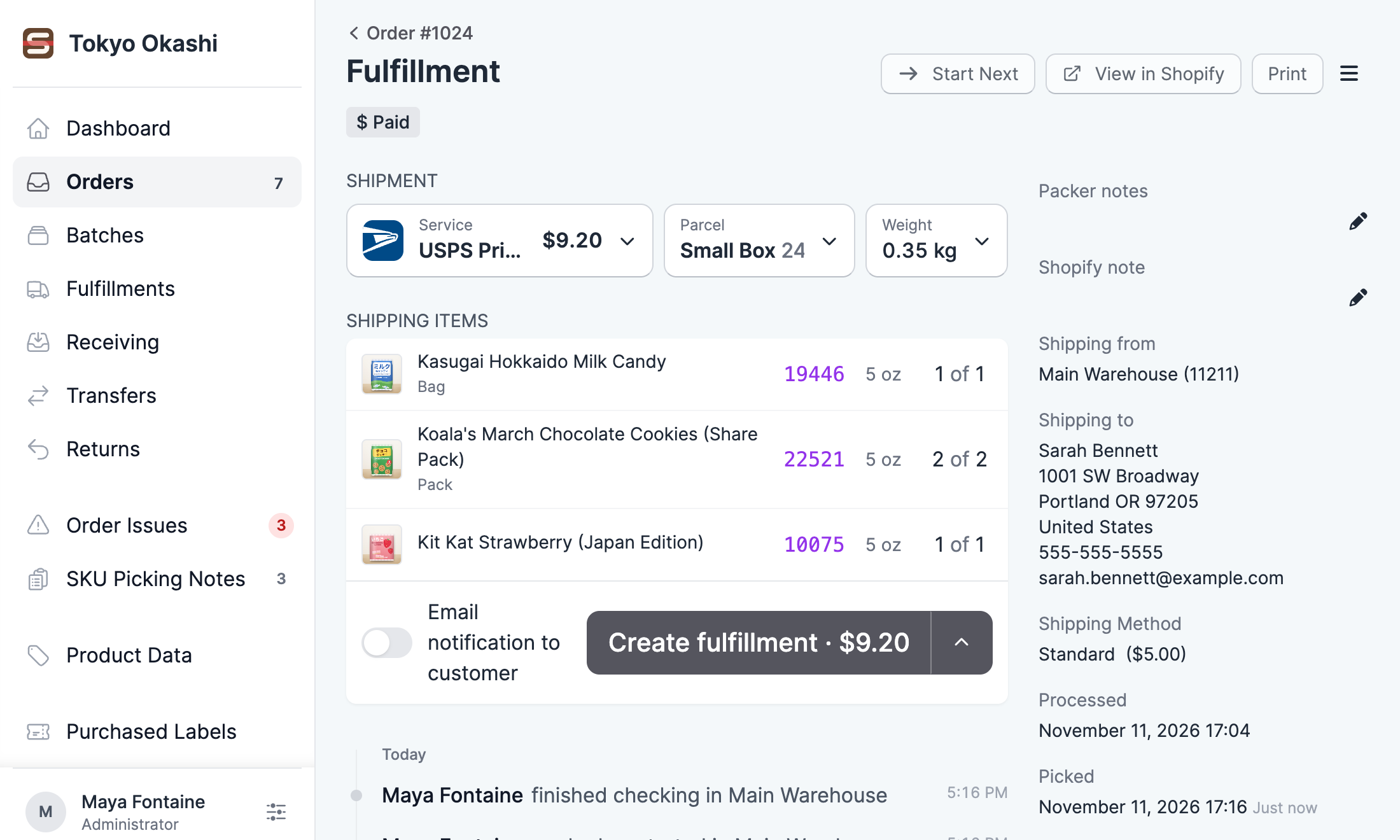
Buy the label where you packed the order.
Scanpacker quotes your carriers, buys the label, prints it at the packer's station and creates the Shopify fulfillment with tracking. Customs forms print with the label.
- Ten shipping platforms, including Shopify Shipping, EasyPost, Shippo, ShipStation and Sendcloud.
- Parcel templates for the sizes you use, and weights read from a USB or serial scale.
- Fraud risk and address warnings appear before you ship.
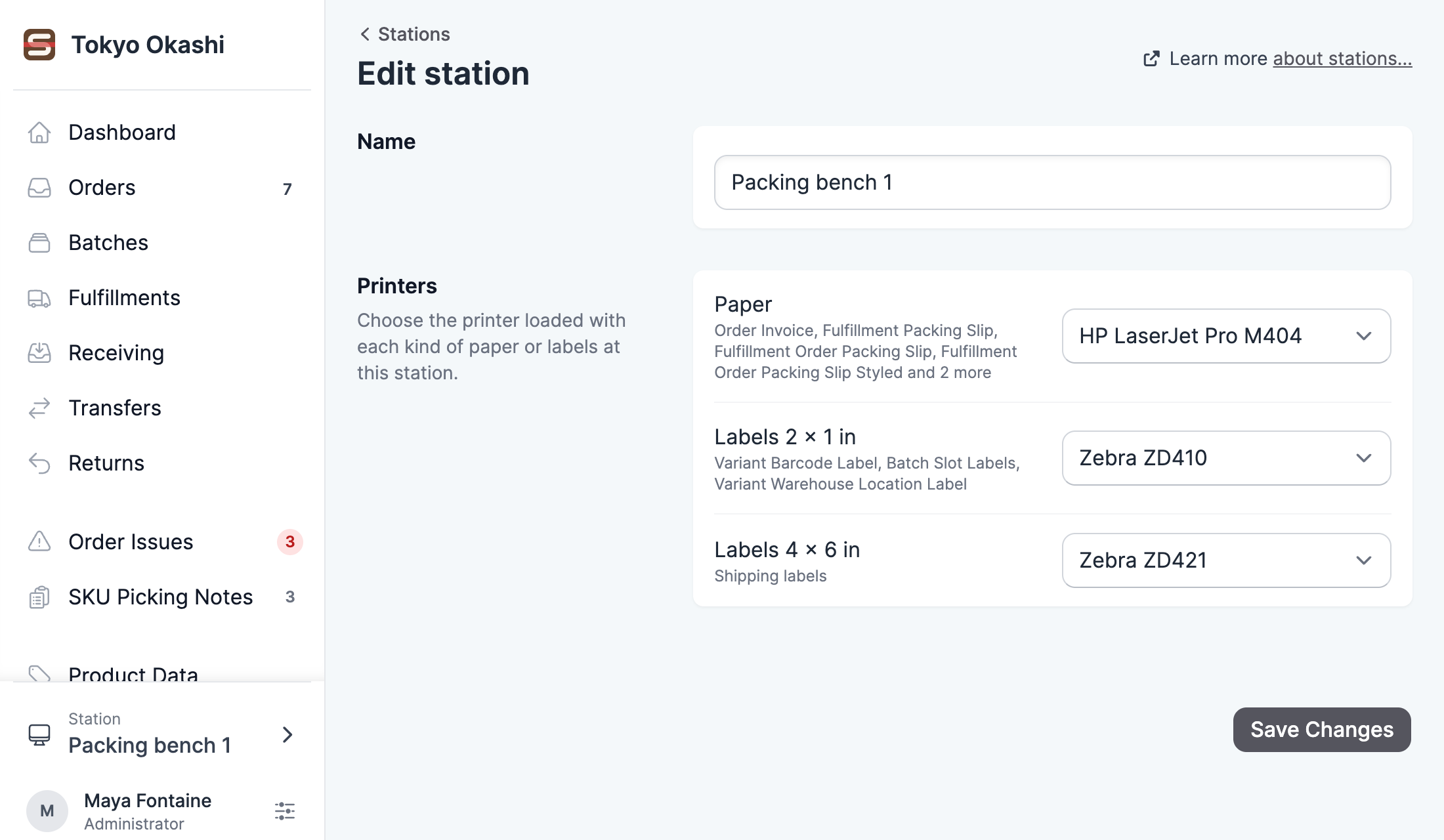
Send each document to the right printer automatically.
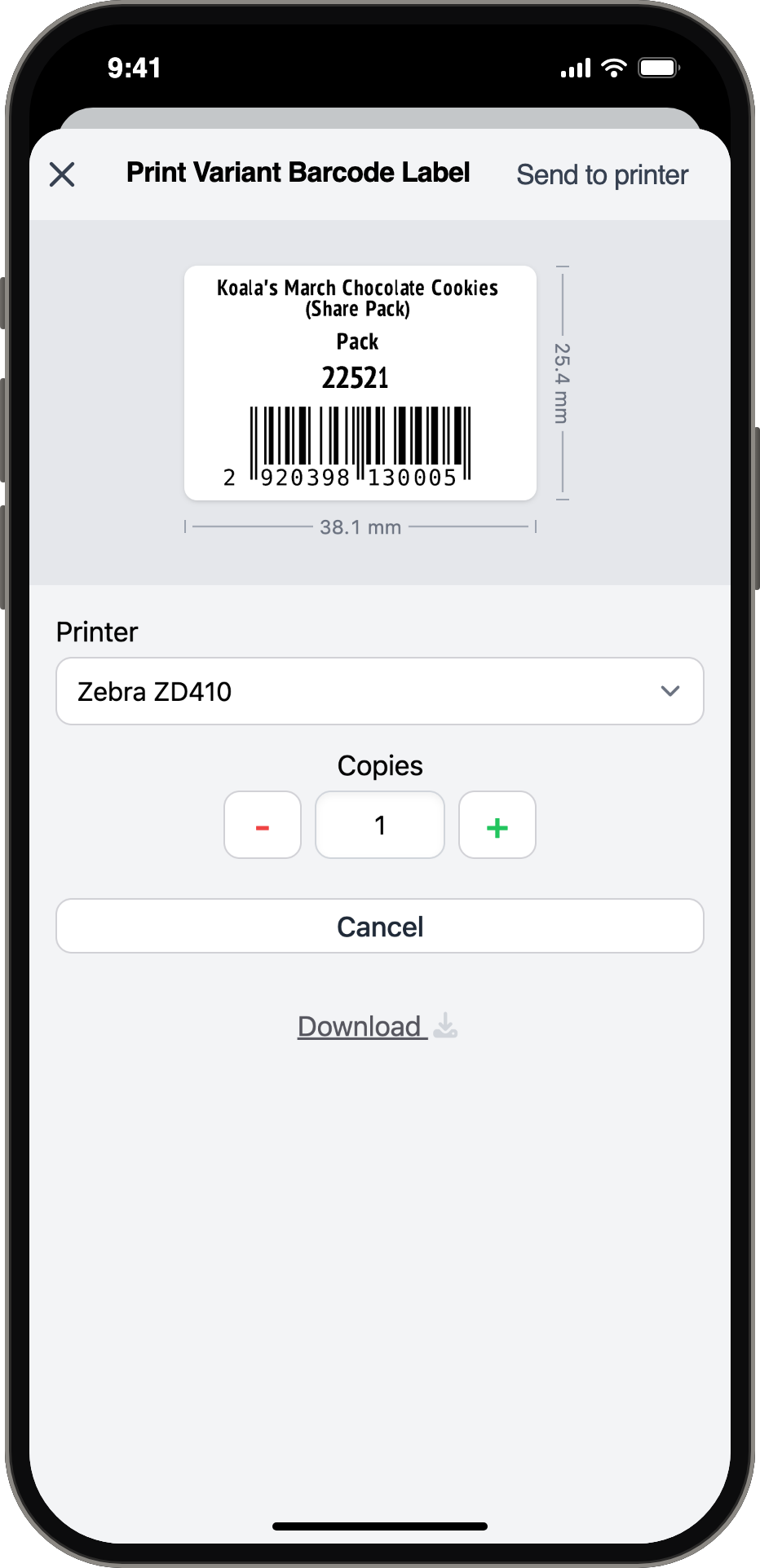
Scanpacker Printer Connect runs on a Mac, Windows or Linux computer next to your printers, and prints whatever the app sends it: shipping labels, packing slips, pick lists, invoices and barcode labels. Autoprint rules decide what prints and when.
- Zebra and other ZPL label printers, and any printer your computer can see.
- Templates in Liquid, as HTML or ZPL, printed one- or two-sided.
- Stations give each packing bench its own printers, whoever is signed in.
- Processing rules tag orders or print documents as orders move through checking.
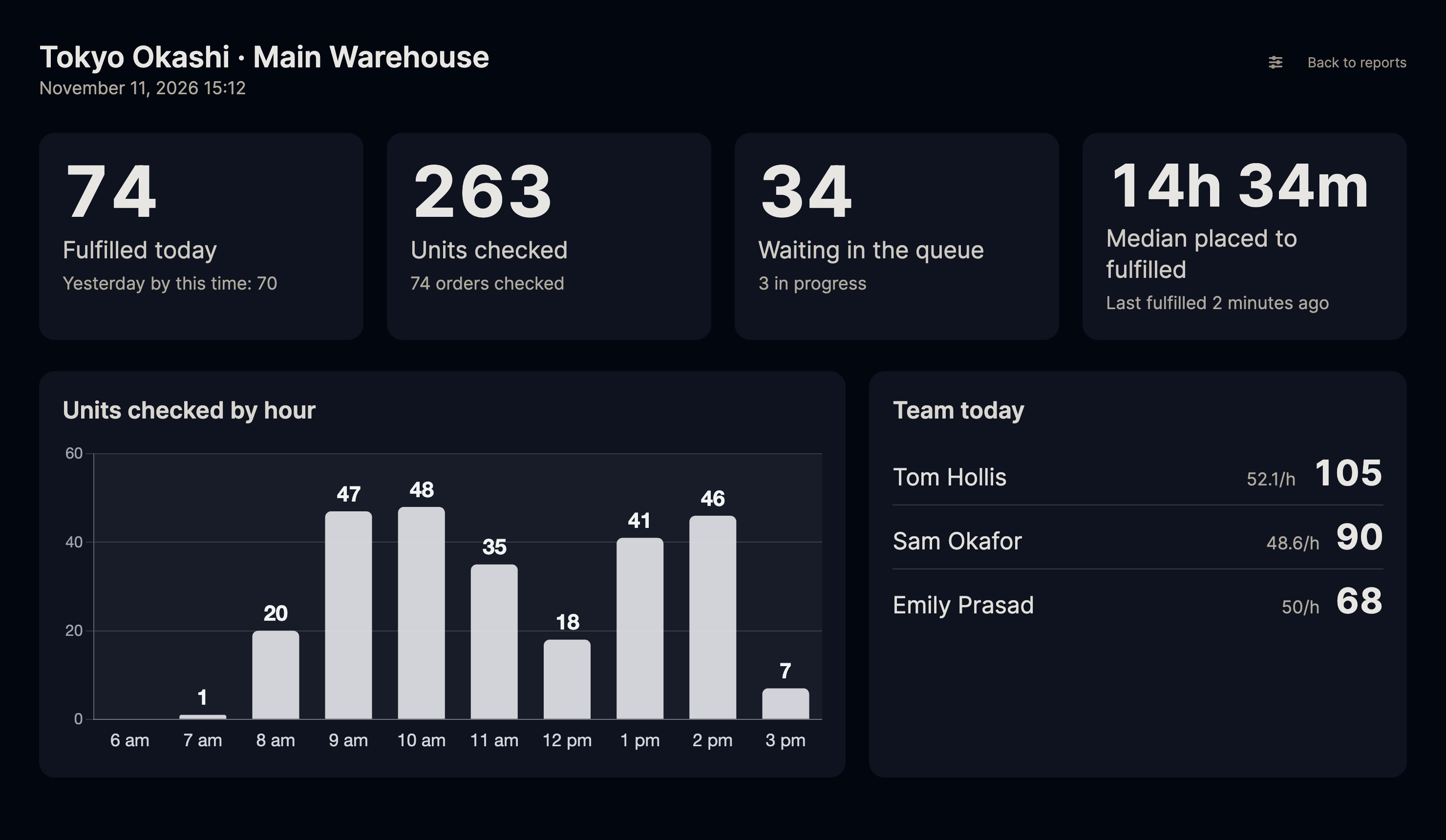
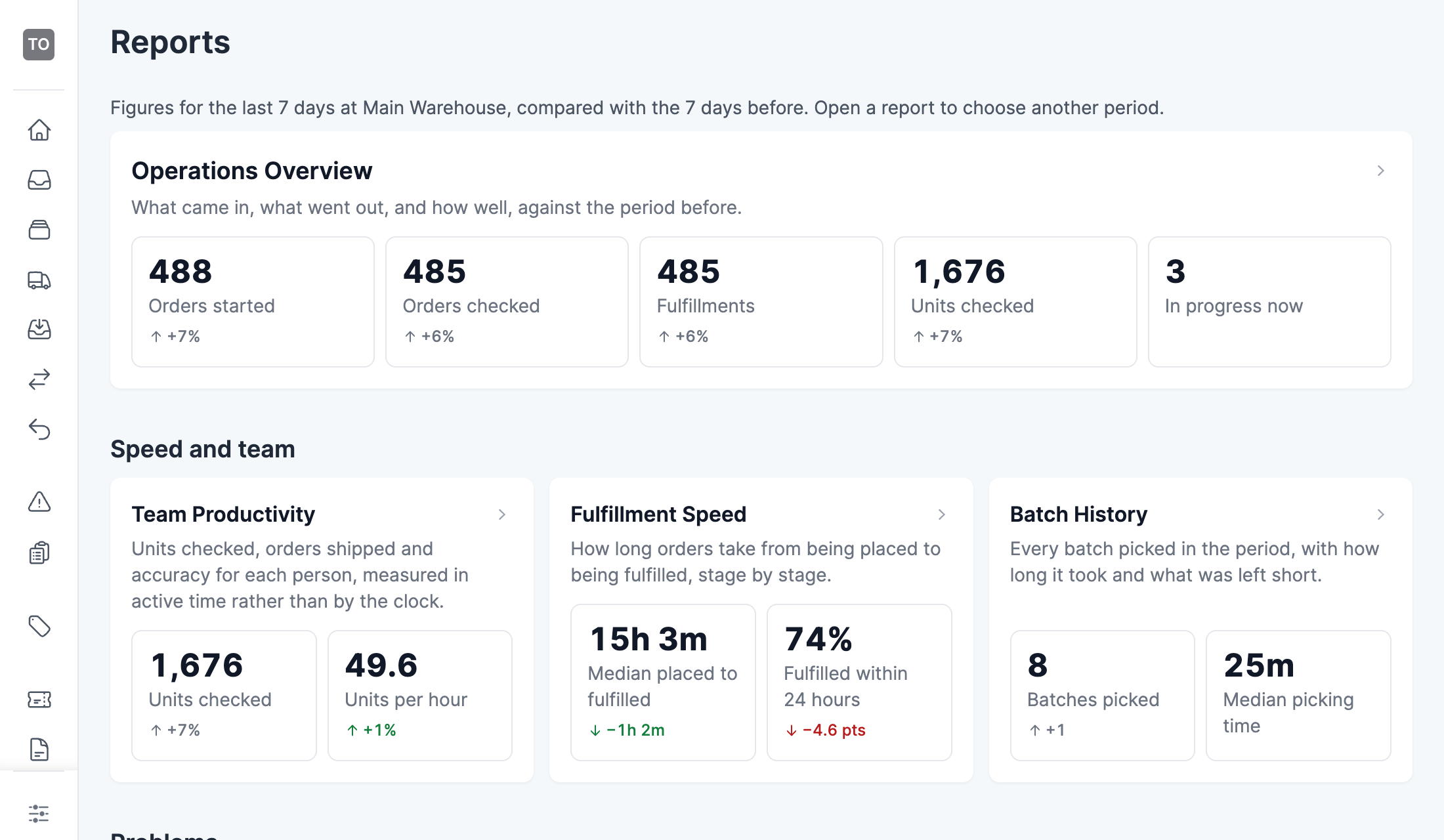
See how the warehouse is doing, by the person, the hour and the order.
Every order's journey is recorded from the moment it's started to the moment it ships, with nothing to set up. Each report compares the period with the one before and downloads as an Excel file.
- Operations, team productivity, fulfillment speed, exceptions, short picks, products, shipping and receiving reports.
- A live board for a screen on the warehouse floor, which refreshes every minute.
- A weekly digest by email, and alerts when the queue or the scan error rate crosses a threshold.
- An export API that sends order journeys and batches to your own spreadsheets or BI tools.
Team
Roles, staff logins and shared devices for the whole team.
Roles and permissions
Administrator, manager, supervisor, operator, packer and viewer roles, or your own.
Shared devices
Staff switch with a PIN on a shared tablet, and every scan is recorded against the right person.
Many locations
Each location has its own queue, batches, stations and reports.
Order issues and picking notes
Flag a problem on an order, or leave a note on a product for the next picker.
Do warehouse work from a phone.
The Scanpacker apps check orders, pick batches, receive stock, build transfers and look up products, scanning with the phone's camera. Staff sign in with their own handle and password and switch with a PIN on a shared device.
Install the appsPay a low base price, then a few cents an order.
Every install starts with 14 days of the Pro features at no charge. Billing goes through Shopify, and you can cancel at any time.
Compare the plansFree
$0 a month
Up to 50 orders a month for one user, with barcode checking, shipping labels, batch picking, receiving and the phone apps.
Starter
$19 a month
250 orders included, then $0.04 an order. Adds your whole team, staff accounts without a Shopify login, the live board and the core reports.
Pro
$49 a month
1,000 orders included, then $0.03 an order. Adds the in-depth reports, custom warehouse routing, custom roles and PIN switching on shared devices.
Business
$169 a month
5,000 orders included, then $0.02 an order. Adds the reports API.
A user guide for every part of Scanpacker.
Every page says what a feature does, how to set it up and what to do when something goes wrong. If you can't find an answer, email support@scanpacker.com.
Open the user guideGetting started
Checking and picking
Shipping and printing
Try Scanpacker on your own orders.
Install it from the Shopify App Store. You get 14 days of the Pro features, then you can stay on the Free plan or choose a paid one.