Receiving report
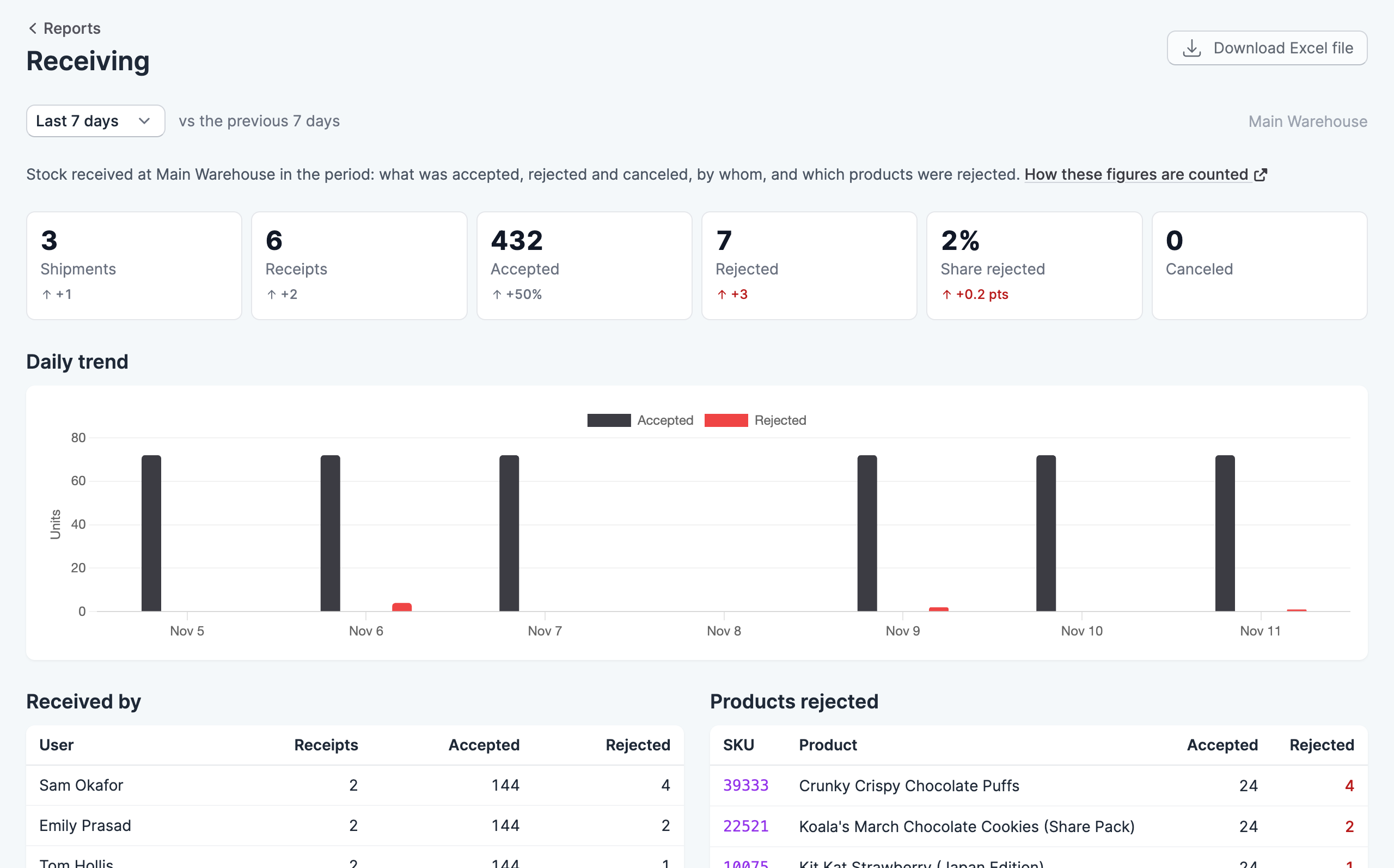
The receiving report shows the stock received at a location in a period: what was accepted, rejected and canceled, who received it, and which products were rejected.
Where to find it
Go to Reports, then click Receiving. You need the View reports permission to see it.
Choose a period from the menu at the top of the report: today, yesterday, or the last 7, 30 or 90 days. Most figures show how they changed against the period of the same length before it, and a change appears once there is an earlier figure to compare with. The report covers the location shown at the top right, which you can change from there.
Reading the report
The figures show the shipments and receipts in the period, the units accepted, rejected and canceled, and the share of units rejected. A shipment received in several sittings counts as one shipment with several receipts.
The trend chart compares units accepted with units rejected. Received by shows each person’s receipts and units, and Products rejected lists the products rejected most, which can point to a problem with a supplier.
Download the report
Click Download Excel file to save the figures as a spreadsheet.