Fulfillment speed
The fulfillment speed report shows how long orders take to move through your warehouse, and which stage takes the longest.
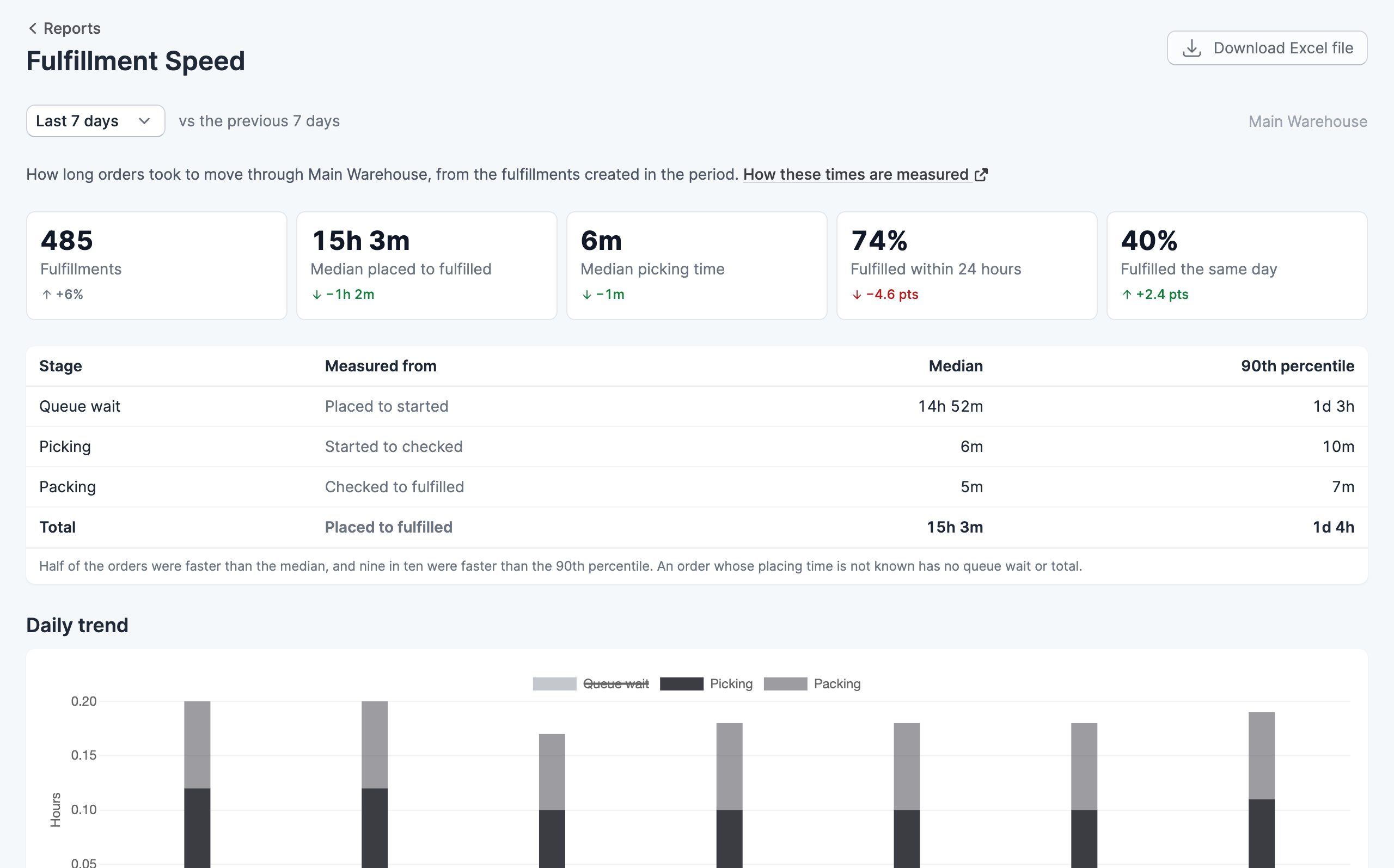
Where to find it
Go to Reports, then click Fulfillment Speed. You need the View reports permission to see it.
Choose a period from the menu at the top of the report: today, yesterday, or the last 7, 30 or 90 days. Most figures show how they changed against the period of the same length before it, and a change appears once there is an earlier figure to compare with. The report covers the location shown at the top right, which you can change from there.
The stages
The report splits an order’s time into three stages:
- Queue wait runs from the order being placed to someone starting it.
- Picking runs from the order being started to being checked.
- Packing runs from the order being checked to being fulfilled.
The table shows the median and the 90th percentile for each stage and for the total. Half of the orders were faster than the median, and nine in ten were faster than the 90th percentile, so a large gap between the two means a few orders are taking far longer than the rest. If Scanpacker doesn’t know when an order was placed, that order has no queue wait or total.
The charts
The trend chart shows how long a typical order spent in each stage. Queue wait starts hidden because it’s usually much longer than the time spent in the warehouse. Click Queue wait in the chart’s legend to include it.
The second chart groups fulfillments by their total time, and the table beside it compares batch picking with picking one order at a time.
Orders being worked on now shows how long ago each order in progress was started, so you can spot any that have been left behind.
Download the report
Click Download Excel file to save the figures as a spreadsheet.