Batch history
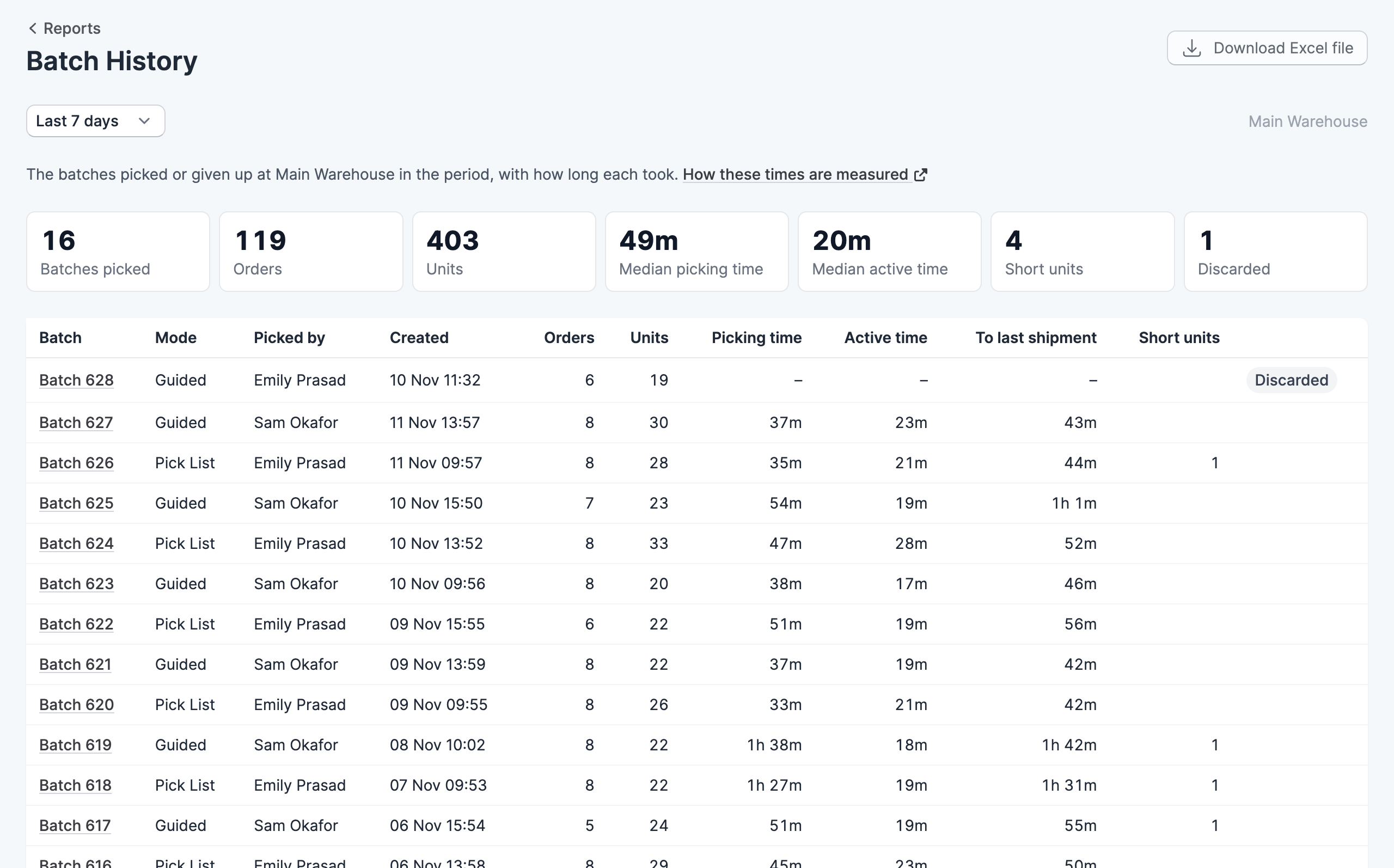
The batch history report lists the batches picked or given up in a period, with how long each one took and what was left short.
Where to find it
Go to Reports, then click Batch History. It appears when your plan includes batch picking, and you need the View reports permission to see it.
Choose a period from the menu at the top of the report: today, yesterday, or the last 7, 30 or 90 days. The report covers the location shown at the top right, which you can change from there.
How the times are measured
- Picking time runs from the first pick to the last.
- Active time is the same span with any gaps of more than 10 minutes left out, so it’s closer to the time spent working on the batch.
- To last shipment runs from the batch being created to its last order shipping.
A batch whose orders are still shipping is marked Shipping, and a batch that was given up is marked Discarded. Click a batch to open it.
Download the report
Click Download Excel file to save the figures as a spreadsheet.