Partial fulfillment
Sometimes you may want to create a fulfillment for only part of an order. For example, you cannot locate all of the ordered products but want to ship the items you have on hand immediately.
In order to prevent accidental partial shipping when checking and packing orders at speed, partial shipping requires an extra step.
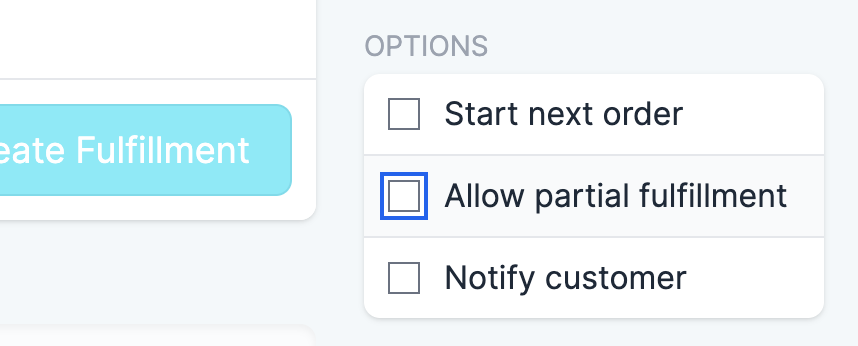
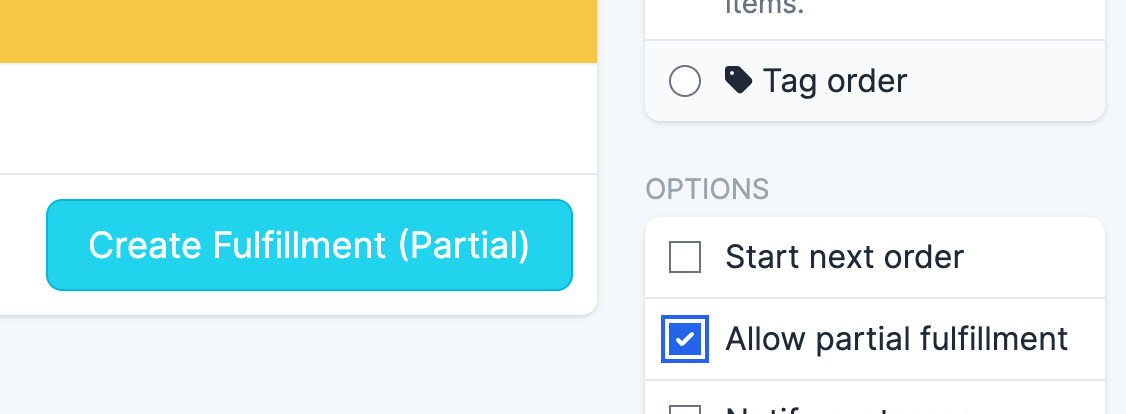
When scanning items, to partially ship an order, click the drop-down menu to the right of the “Fulfill Items” button. Select the “Allow partial fulfillment” checkbox to enable partial shipping:
As long as you have scanned at least one item, you will see the “Fulfill Items” button become enabled:
After partially shipping an order, the order will remain in progress. To pack and ship remaining items, navigate to the order from the In progress tab on the Order Queue page.