
Receiving and transfers
Receiving works on Shopify’s own purchase orders and transfers, and receiving a shipment updates your inventory in Shopify straight away. There’s no separate stock system to keep in sync.
The receiving report shows stock received, accepted and rejected, and the products rejected most. Receiving and transfers are included on every plan.
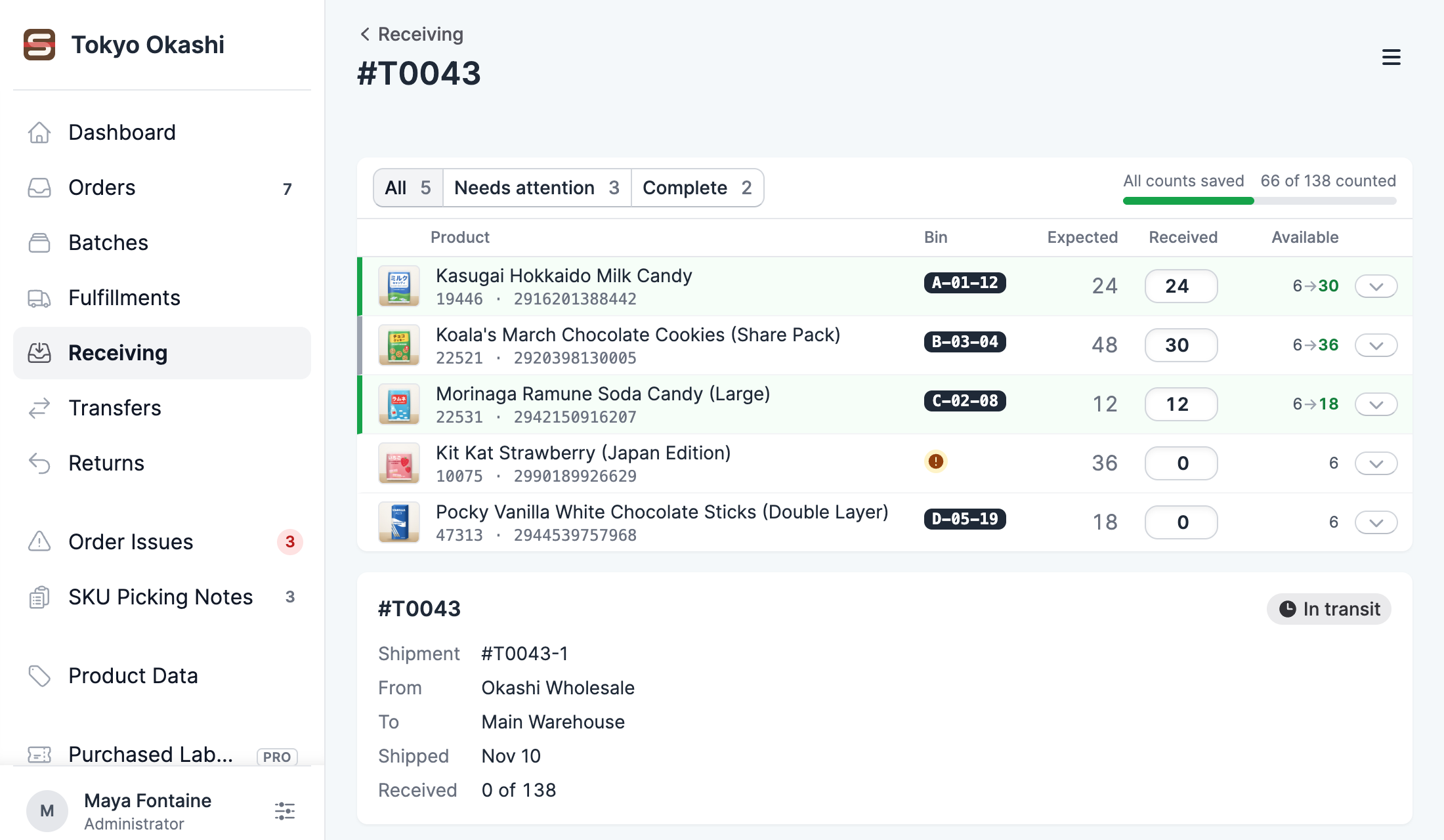
Receive by scan
Purchase orders and transfers inbound to your location are listed in Receiving. Count units by scan or by quantity, record rejected units, and receive part of a shipment now and the rest later.
Read the guide →Putaway in walking order
Each receipt lists what arrived in storage location order, with unlocated products first. Set locations and barcodes as you go, and print a barcode label for each unit received.
Read the guide →Transfers by scan
Build a transfer between your locations by scanning products as you pack them, with stock at both ends shown on each line. Scanpacker creates and ships the transfer in Shopify.
Read the guide →Try Scanpacker free
Every install starts with 14 days of the Pro features. Billing goes through Shopify, and you can cancel at any time.
Install Scanpacker